
Drum Samples Tutorials, Reviews
DrumWerks Samples Meet Pearl Mimic Pro: Real Studio Drums for Your Electronic Kit
Jan
DrumWerks Samples Meet Pearl Mimic Pro: Real Studio Drums for Your Electronic Kit
One of the coolest things about creating drum samples here at Drum Werks is seeing how drummers use them in ways we never imagined. We spend so much of our time and effort selecting, tuning, micing, and recording the drums and cymbals that we sometimes forget what customers will do once we have the sample packs up and available on the website. And, customers do all sorts of things!
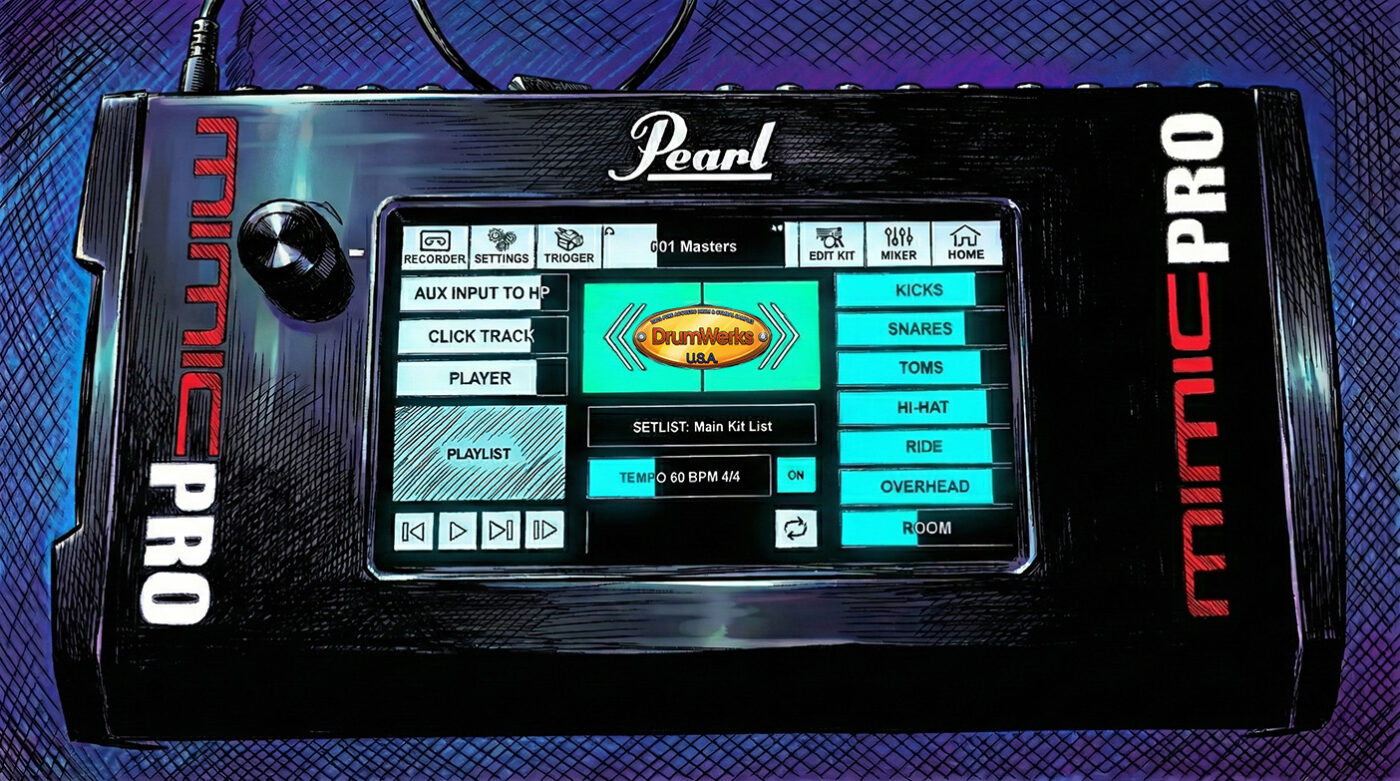
Recently, Tred Drums showed us another use for Drum Werks samples—loading DrumWerks samples into Pearl’s Mimic Pro drum module and getting some seriously impressive results.

Live Drums, Meet Electronic Triggers
For those unfamiliar, Pearl’s Mimic Pro is an electronic drum module that lets you trigger samples from your electronic kit. It comes preloaded with a solid collection of samples, but what they provide for the stock drum kit samples can be a bit limiting . In a nutshell, the module features 16 trigger inputs, individual outputs for every piece of your kit, and an intuitive touchscreen interface.Here’s what matters for DrumWerks users:
With their version 1.4.18 software update, Pearl opened the door for third-party samples—meaning you can now load our 100% live, studio-recorded drums into your Mimic setup.
Tred Drums put three of our snare samples through their paces, and the results speak for themselves. Check out his demo:
What Makes This Work?
Here’s the thing about DrumWerks samples: we recorded them for music producers. That means our focus was capturing authentic studio sound with essential articulations—head center hits, side sticks, and rimshots. We didn’t build out the massive velocity layers some electronic drum modules expect, because that’s not what our core customers needed.
But as Tred Drums demonstrates, you don’t need 127 velocity layers to get great-sounding drums. His setup uses our head center articulations (which include our blend of center, side, and rimshot hits) and side sticks. The rimshots naturally trigger at higher velocities, giving you dynamic range that responds to your playing intensity.
Want a more controlled snare sound without those loud rimshots? Tred shows how you can adjust the velocity range in the Mimic’s mixer settings—dial it down to 80 or 90, and you’ll cap the upper samples for a more consistent tone.
The Bottom Line
Our samples were recorded in legendary studios, with a focus on getting sounds from some premium vintage and modern drums and cymbals. We captured real drums the way they actually sound. No massive EFX, no fake ambience, no shortcuts. Just clean drums and cymbals for you to shape into the sounds you’re hearing in your head
Now drummers like Tred Drums are proving you can take that studio authenticity and bring it to the electronic kit world. Different tools, same genuine sound.
Tred’s use case shows the need for extensive articulations for complex e-drum playing. And, so you’ll want samples specifically designed for that. But for drummers who want real studio tone with natural dynamics, this approach delivers.
Big thanks to Tred Drums for the demo and for showing what’s possible with our samples in the Pearl Mimic Module.
Want to try DrumWerks samples in your Pearl Mimic Pro? Browse our complete Drum Werks drum sample collection.
What do you think? Have you loaded third-party samples into your e-drum module? Let us know in the comments.
